Chat engagement
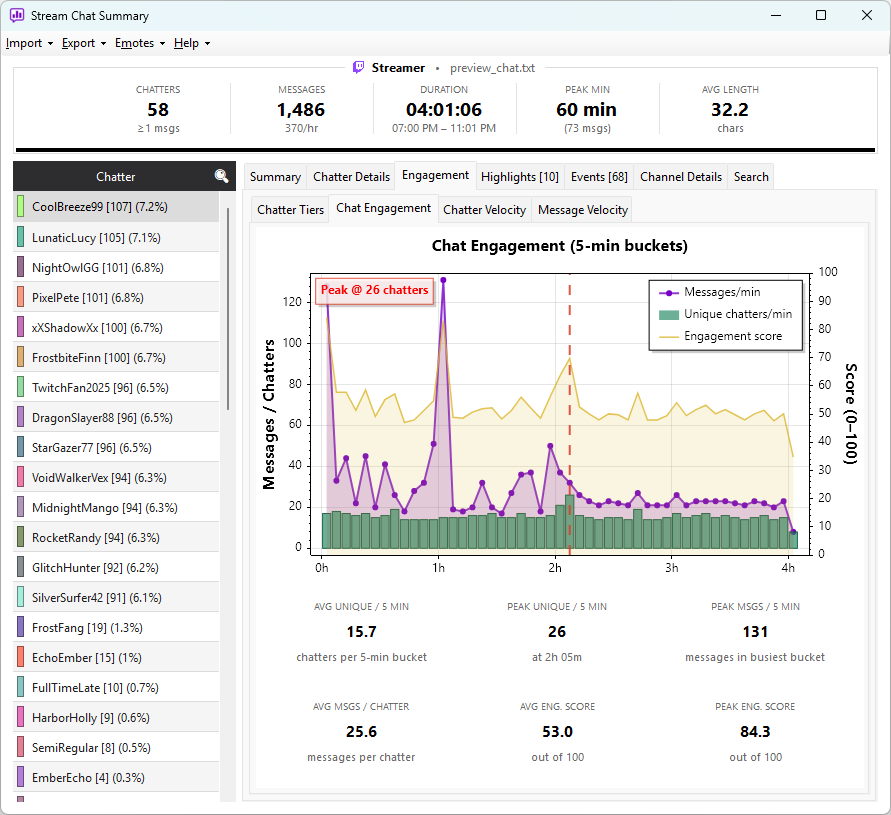
The Chat Engagement sub-tab is the second sub-tab inside the Engagement tab. It shows how intensely the audience was chatting at each moment of the stream, combining message volume, breadth of participation, and message quality into a single time-series view.
The chart
The chart plots three series across the session's 5-minute buckets:
| Series | Type | What it shows |
|---|---|---|
| Messages/min | Filled area | Total messages in each bucket (left axis) |
| Unique chatters/min | Bar | Distinct chatters who sent at least one message in that bucket (left axis) |
| Engagement score | Line | Composite 0–100 score for that bucket (right axis) |
The gap between the messages line and the unique-chatters bars is meaningful: a wide gap indicates a small group of users dominating the bucket; a narrow gap indicates broad participation.
The engagement score
The composite engagement score for each bucket is calculated from three components, each normalised against the session peak:
- Unique chatters — contributes 40 points (normalised to session peak)
- Message rate — contributes 40 points (normalised to session peak)
- Non-duplicate ratio — contributes 20 points (0 = all spam, 1 = all unique)
A score near 100 means chat was busy, broad, and not spammy. A score near 0 means the bucket was quiet, narrow, or dominated by repetition.
The stats strip
Below the chart, a six-tile strip shows session-wide figures:
| Stat | Meaning |
|---|---|
| Avg Unique / 5 Min | Average unique chatters per 5-minute bucket across the whole stream |
| Peak Unique / 5 Min | Highest unique-chatter count in any single bucket, with the time it occurred |
| Peak Msgs / 5 Min | Highest message count in any single bucket |
| Avg Msgs / Chatter | Total messages divided by total unique chatters — a proxy for how vocal each person was |
| Avg Eng. Score | Average composite engagement score across all buckets (0–100) |
| Peak Eng. Score | Highest composite engagement score in any single bucket (0–100) |
Chat Engagement shows intensity over time — useful for spotting which parts of the stream were most engaging. Switch to Chatter Velocity (the next sub-tab) for the shape of attendance — when viewers arrived and when they started drifting away.